Procedure: How to Run the ReportCaster Library Report Purge Utility
- On a Windows system, use the Command Line Interface (CLI) to navigate to the /install_directory/ibi/WebFOCUS77/ReportCaster/bin directory, where install_directory is the directory in which ReportCaster is installed.
-
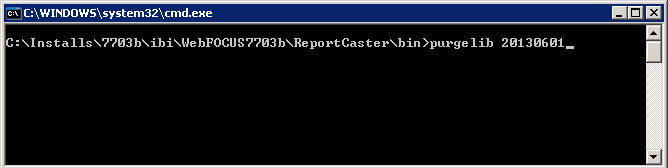
Enter purgelib YYYYMMDD, where YYYYMMDD is
the year, month, and date prior to which Library Reports will be
deleted, as shown in the following image.
Note: You must enter a space between purgelib and YYYYMMDD.
- Press Enter.
-
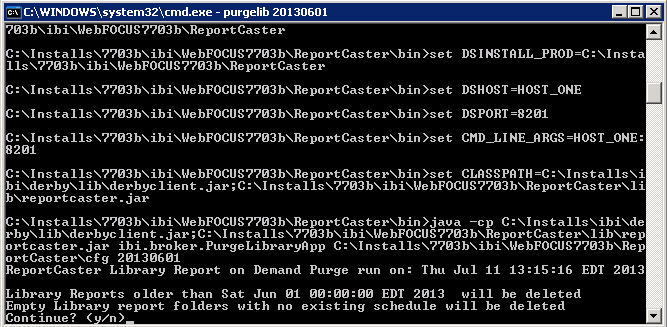
Confirm that you want to continue with performing this
purge, as shown in the following image.
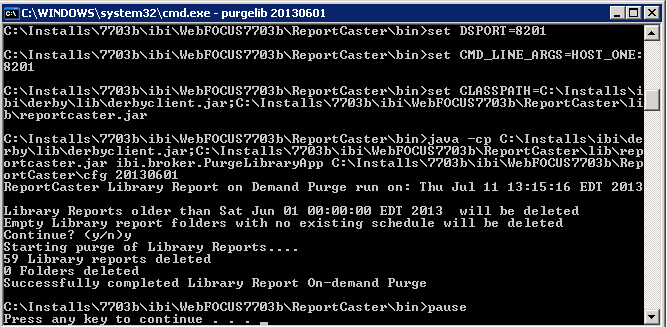
The number of deleted Library Reports and folders displays, as shown in the following image.
- Press any key to exit the ReportCaster Library Report Purge Utility.