Output Formats for Compound Reports
When creating compound reports from the Document Composer,
PDF, HTML, active report, PowerPoint, Excel, active PDF, and active
Flash output formats are available.
You can also set the output format to User, which will allow
the user to define an output format at runtime. For more information
on the User output format, see How to Set Output Format to User.
There are several requirements and restrictions when using these
output formats with coordinated compound reports:
- In active report
and active Flash output formats:
- Multiple
reports and charts combined into one document.
- You must have at
least one report object.
- LINE, IMAGE,
and TEXT objects are not supported in the document.
- Chart objects
are static images, which cannot be altered using active report and
active Flash menu options.
- Excel:
- Combines multiple
reports as different sheets in a workbook.
- LINE, IMAGE,
and TEXT objects are not supported in the document.
- PowerPoint:
- Combines multiple
reports, charts in a single slide.
- You may embed
the output into pre-existing PowerPoint templates.
- LINE, IMAGE
and TEXT objects are supported.
x
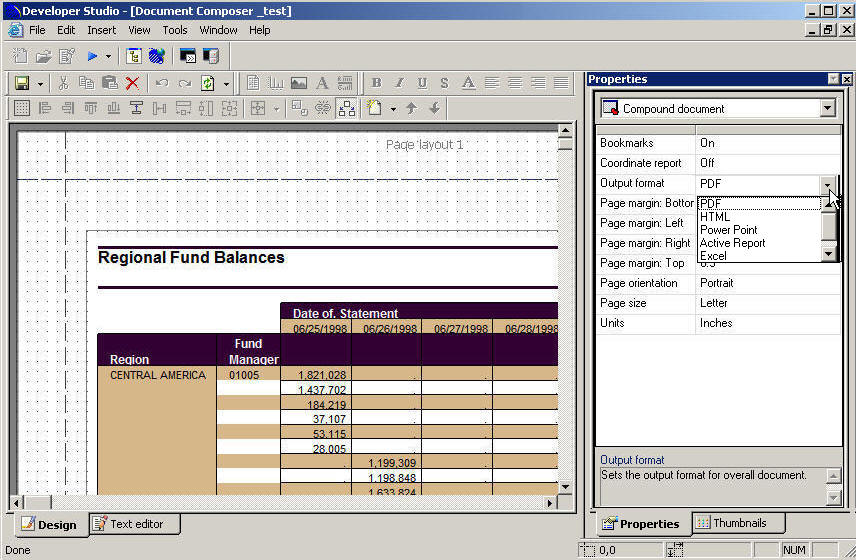
Procedure: How to Select Output Formats in the Document Composer
-
From
the Properties window in the Document Composer, select Compound
document from the Properties list.
-
In the Output
format field, use the drop-down list to select an output
format.
x
Procedure: How to Set Output Format to User
You
can set the output format to User, which will allow the user to
define an output format at runtime.
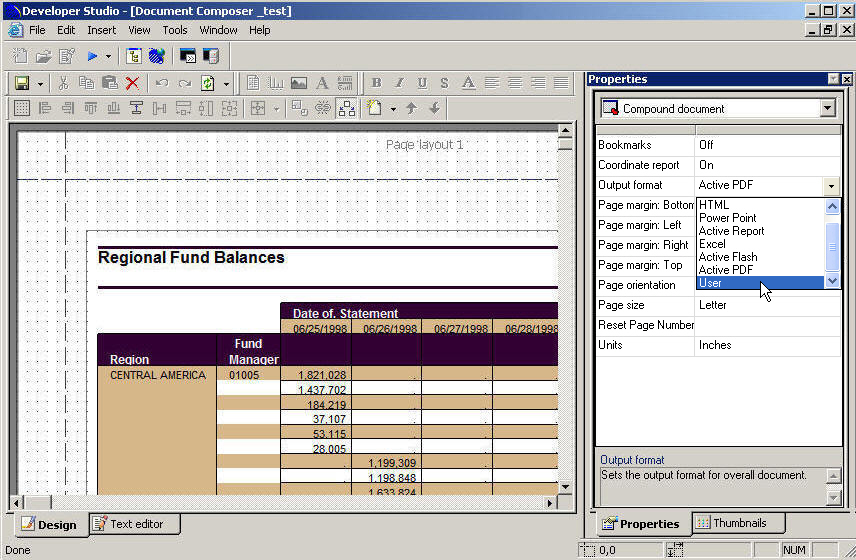
-
From the
Properties window in the Document Composer, select Compound
document from the Properties list.
-
In the Output
format field, use the drop-down list to select User.
-
From the
File menu or the toolbar, select Run.
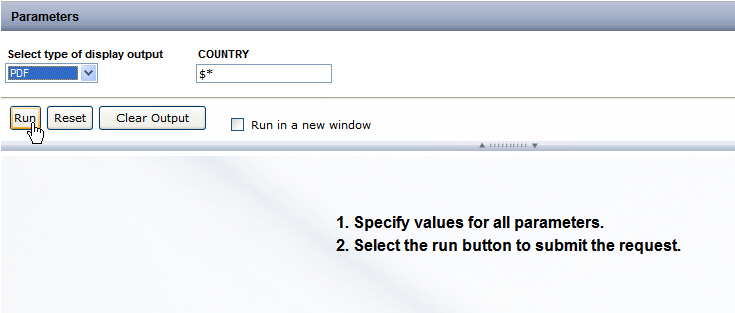
Your web browser opens and asks you to specify the type
of display output, as shown in the following image.
xUsing PowerPoint Templates With Compound Documents
When PowerPoint is set as the Compound document output
format, you may embed the compound output into a pre-existing PowerPoint template.
Note: PowerPoint templates are not supported if your report
is coordinated. If a coordinate has been selected, PPT templates
will be disabled.
x
Procedure: How to Use PowerPoint Templates With Compound Documents
To
embed a compound report in a PowerPoint template:
-
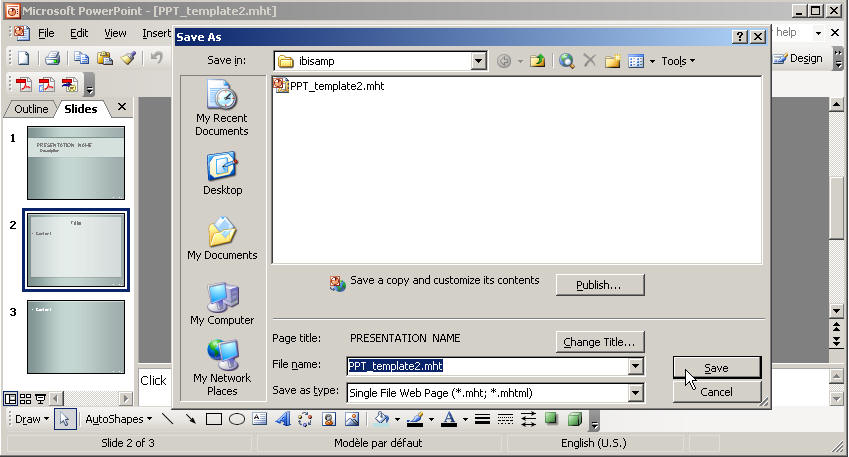
Save the pre-existing third-party PowerPoint template in Microsoft
Office Web Archive or Single File Web Page (.mht) format in a WebFOCUS Reporting
Server application directory as shown in the image below.
Note: A placeholder slide must be present in the
template which WebFOCUS will use to embed the coordinated compound
document at run time.
-
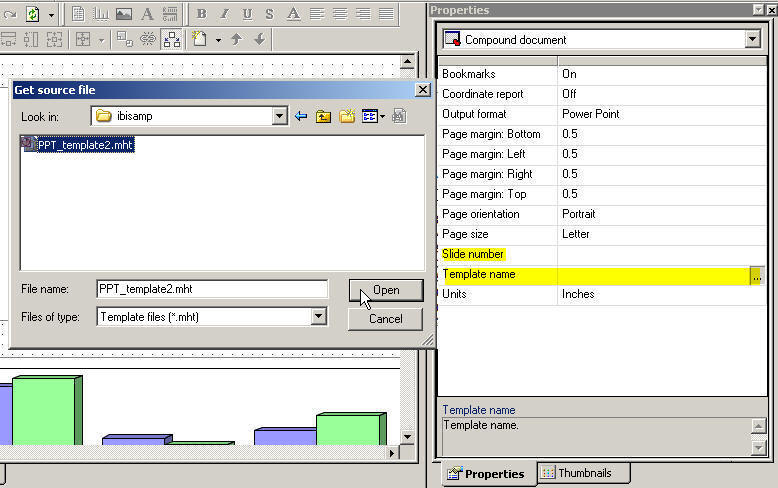
In the Document Composer, select the Template name ellipsis
button from the Compound document property window.
Note: The Template name property is only available
when the compound document output format is PowerPoint.
The Get source file dialog box opens.
-
Select the PowerPoint template from
the WebFOCUS Reporting Server application directory and click Open.
-
Select the placeholder slide of the template in the Slide number property
field of the Compound document property window.
Note: The Slide number property is only available
when the compound document output format is PowerPoint.
-
Save and run the document.
The
output is embedded to the assigned slide in the PowerPoint template.